November 16, 2026
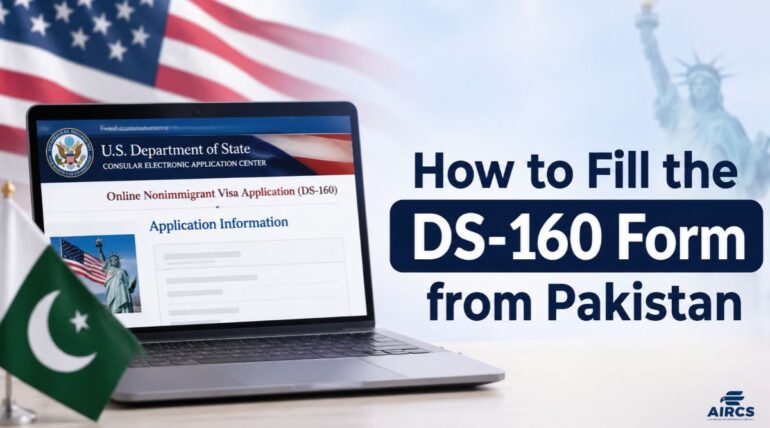
The DS-160 form is the online application every visitor to the United States must submit before a visa interview. You complete it on the Consular Electronic Application Center of the US Department of State and the system will not let you skip a required question.
This guide shows how to fill DS-160 correctly, from the first screen to the confirmation page. It is based on the State Department’s published DS-160 instructions, checked on November 16, 2026 and prepared by the AIRCS Group visit visa team in Rawalpindi, Islamabad and Faisalabad.
Table of Contents
ToggleWhat Is the DS-160 Form?
The DS-160 is the Online Nonimmigrant Visa Application, the form that temporary visitors, students and exchange visitors must complete before applying for a US visa. It replaced the older paper forms DS-156, DS-157, DS-158 and DS-3032.
Consular officers read your answers before and during the interview, so every answer must match your passport and documents. A false or misleading statement can lead to a permanent visa refusal or denial of entry.
Submitting the form is only the first step. Next, pay the visa application (MRV) fee and book your appointment on the USTravelDocs website, which handles scheduling for US visa applicants in Pakistan.
Who Needs to File the DS-160 Form
Every traveler needs a separate form, including children. A parent or guardian may complete and sign the form for an applicant under 16. All answers must be in English letters, except where the form asks for your name in your native alphabet.
DS-160 for B1/B2 Visa: What to Enter
Select the B1/B2 category and state your purpose of trip in plain words. B1 covers short business activity, such as meetings and conferences. B2 covers tourism, family visits and medical treatment.
For the DS-160 for B1/B2 visa, a clear purpose is something like visiting relatives or attending a trade show. Your purpose, travel dates and US address must agree with each other and with what you tell the officer. If you have not booked travel yet, enter your planned dates.
AIRCS Group also supports applicants with USA visit visa assistance for the full B1/B2 process, from the form to interview preparation.
What to Keep Ready Before You Start the DS-160 Form
Keep these items on hand so you can complete the form in one sitting:
- Your passport, which in most cases must be valid for at least six months after you arrive in the US
- A digital photo that follows the State Department photo rules: in color, taken recently, with a white or off-white background and no glasses
- Your travel itinerary, if you have already booked one
- The dates of your last five US trips, if any and your international travel over the past five years
- Your work and education history, including your previous two employers
- The names and birth dates of your parents, spouse and children
- The social media usernames, email addresses and phone numbers you have used over the last five years
Use the buttons at the bottom of each page to move around the form. The browser’s back button can stop your changes from saving.
How to Fill DS-160: Step-by-Step Guide
Start on CEAC, then work through the personal, travel, passport, family, work and security sections before you sign.
Step 1: Start the Application
Open the DS-160 page on CEAC, choose your interview location and enter the verification code. Then choose and answer a security question and the system gives you an Application ID.
Save the Application ID and your security answer, because you need both to return to the form. Applicants in Pakistan usually choose the US Embassy in Islamabad or a US Consulate General in Pakistan. Posts can change their services, so check which locations are open for booking on USTravelDocs before you decide.
Step 2: Enter Personal Information
Write your name exactly as it appears in your passport. If your passport shows only one name, enter it as your surname. If it shows no given name, enter FNU in the Given Names field.
Enter your date of birth as shown in the passport and select your sex at birth. List any other names you have used, such as a maiden name.
Step 3: Add Travel Details
Enter your intended arrival date, your length of stay and the US address where you will stay, such as a hotel or a relative’s home. Add your itinerary if you have already booked travel.
Step 4: Provide Passport, Family and Contact Details
Enter the passport number, issue date and expiry date exactly as printed. Add the passport book number if your passport has one. Give a primary phone number where you can be reached, then complete the sections on your parents, spouse and children.
Step 5: Complete Work, Education and Security Questions
Enter your current occupation and your previous two employers. Add your education history where the form asks for it.
The security section contains yes or no questions and you must answer each one truthfully. For other questions that do not apply to you, you may enter Does Not Apply. The system will not accept the form until every mandatory question is answered.
Step 6: Upload Your Photo
Upload a photo that meets the State Department rules. If the upload fails, the confirmation page will show no photo and you must bring one printed photo to your interview as the embassy or consulate instructs.
Step 7: Review, Sign and Submit
Check every page against your passport and documents. Then click the Sign Application button, which certifies under penalty of perjury that your answers are true and correct.
Want an expert to check your form before you sign?
Book a free consultation with AIRCS Group, or call (+92) 311 4464274 and our visit visa team will review your answers with you.
DS-160 Confirmation Page: What to Do After Submission
Print the DS-160 confirmation page as soon as you submit, because you need it at every later stage of the visa process. It shows a barcode and your Application ID. Save a PDF copy too and use the Email Confirmation option to send one to yourself.
Use the barcode number from this page when you book your interview and make sure it matches the form you submitted.
If you lose the page, open CEAC, select your location, choose Retrieve Application and enter your Application ID to reprint it. If your plans change after you arrive, our guide explains how to extend a B2 visa stay in the USA.
Common DS-160 Form Mistakes to Avoid
The State Department warns that incomplete or inaccurate answers may force you to correct the application and reschedule your interview. Watch for these errors:
- A name, date of birth, or passport number that differs from your passport
- Wrong dates for past US trips or past jobs
- Leaving out a past visa refusal, an arrest, or an overstay
- Skipping a social media account you used in the last five years
- A trip purpose that conflicts with your supporting documents
You cannot edit a submitted form yourself. If you find a mistake, complete a new DS-160 and update the barcode in your appointment profile. In some cases, the embassy or consulate can reopen the submitted form so you can correct it.
Frequently Asked Questions
How long can I keep a saved DS-160 form?
You have 30 days to return to a partly completed form. To keep it longer save it to your computer with the Save Application to File button.
Do I need to print the whole DS-160 form for my interview?
No. Bring only the confirmation page that shows your barcode and Application ID.
Does my child need a separate DS-160 form?
Yes. Each traveler needs their own form. A parent or guardian can complete and sign it for a child under 16.
Can I use my DS-160 at a different consulate?
Yes. The post where you book can open your form using the barcode on your confirmation page.
Get Expert Help With Your DS-160 Form in Rawalpindi, Islamabad or Faisalabad
A small error on the form can delay your interview so a second review is worth the time. AIRCS Group checks your answers against your documents and explains any section you are unsure about. Call (+92) 311 4464274 or message us on WhatsApp for a DS-160 form review or contact our team to arrange a visit to our Rawalpindi, Islamabad or Faisalabad office.
AIRCS Group is a visa consultancy. We are not a law firm and are not affiliated with the US government. This guide follows the State Department’s DS-160 FAQ last checked on November 16, 2026. Requirements can change so confirm them on the official site before you apply.